Introduction
Is your home streaming setup delivering the speed, clarity, and flexibility you expect? If you’re still dealing with buffering issues, poor picture quality, or paying sky-high cable bills, it might be time for an upgrade. The global IPTV market is projected to reach over $117 billion by 2028, driven by millions of cord-cutters seeking better entertainment solutions. At the heart of this revolution is the IPTV Box—a powerful streaming hardware device that’s transforming how households consume media.
Traditional cable boxes are expensive, limited in content, and frustrating to navigate. An IPTV Box offers thousands of channels, on-demand content, and streaming flexibility at a fraction of the cost. Whether you’re a tech enthusiast, a budget-conscious family, or an IPTV reseller, understanding what an IPTV Box can do for you is essential.
In this guide, we’ll explore seven incredible benefits, critical features to look for, step-by-step setup instructions, and expert tips to optimize your streaming experience.
What Is an IPTV Box and How Does It Work?
An IPTV Box is a specialized streaming hardware device that delivers television content over the internet rather than through traditional satellite or cable. IPTV stands for Internet Protocol Television, meaning your shows, movies, sports, and live channels are transmitted through your network directly to your TV.
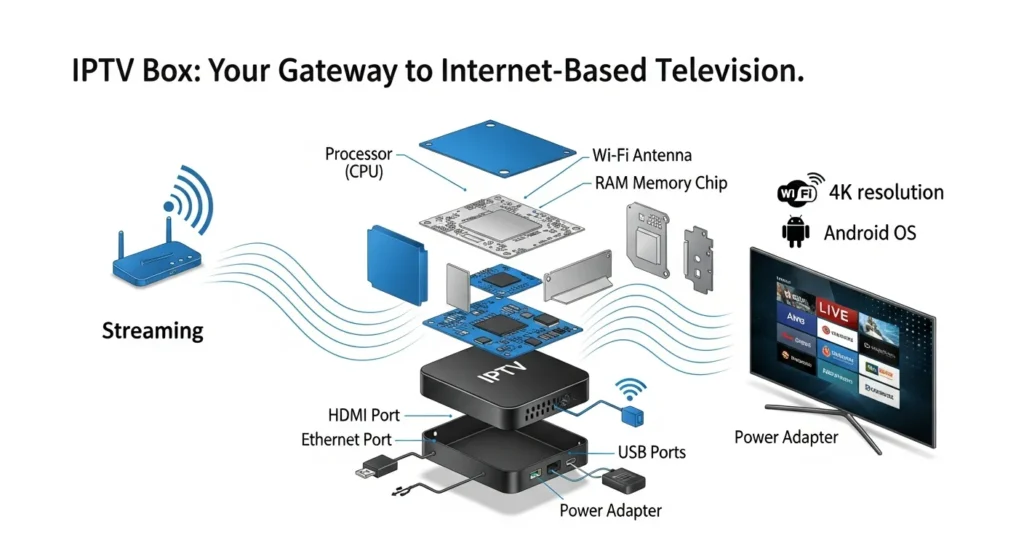
The IPTV Box connects via HDMI and accesses internet content through Wi-Fi or Ethernet. It decodes streaming protocols and renders video from standard definition up to 4K or 8K quality. Most IPTV devices run Android TV operating systems, giving access to thousands of apps including IPTV Smarters, TiviMate, XC Player, and Kodi.
The hardware includes a processor, GPU, RAM, and storage that work together to decode formats like H.265 and VP9 for smooth playback. Premium models feature quad-core or octa-core processors, 4GB RAM, and Wi-Fi 6 connectivity. Unlike basic streaming sticks, dedicated IPTV devices offer superior processing, better cooling, and more ports including USB, SD card slots, and optical audio.
Why IPTV Boxes Are Gaining Massive Popularity
The shift from traditional broadcasting to internet streaming is accelerating rapidly. Over 65% of US households have cut the cord or plan to within two years. The primary drivers are cost savings and content flexibility that cable cannot match.
An IPTV Box addresses core viewer frustrations:
Lower Costs: Cable averages $100-200 monthly. IPTV subscriptions cost $10-30, saving over $1,500 annually.
Massive Selection: Cable offers 100-300 channels; IPTV provides thousands of international channels, sports packages, and premium content.
4K Streaming: Modern boxes support 4K and HDR streaming, delivering cinema-quality picture surpassing most cable capabilities.
Portability: Take your compact IPTV Box anywhere with internet—vacation homes, hotels, or RVs become entertainment hubs.
7 Incredible Benefits of Using an IPTV Box
3.1 Unlimited Content Access
One of the most compelling advantages of an IPTV Box is unlimited content access. Unlike cable packages that lock you into predetermined bundles, IPTV offers customizable libraries spanning live TV from 100+ countries, on-demand movies and series, international sports leagues, global news channels, kids’ programming, and niche content for any interest. Your IPTV device becomes a gateway to entertainment without geographical restrictions.
3.2 High-Quality Streaming
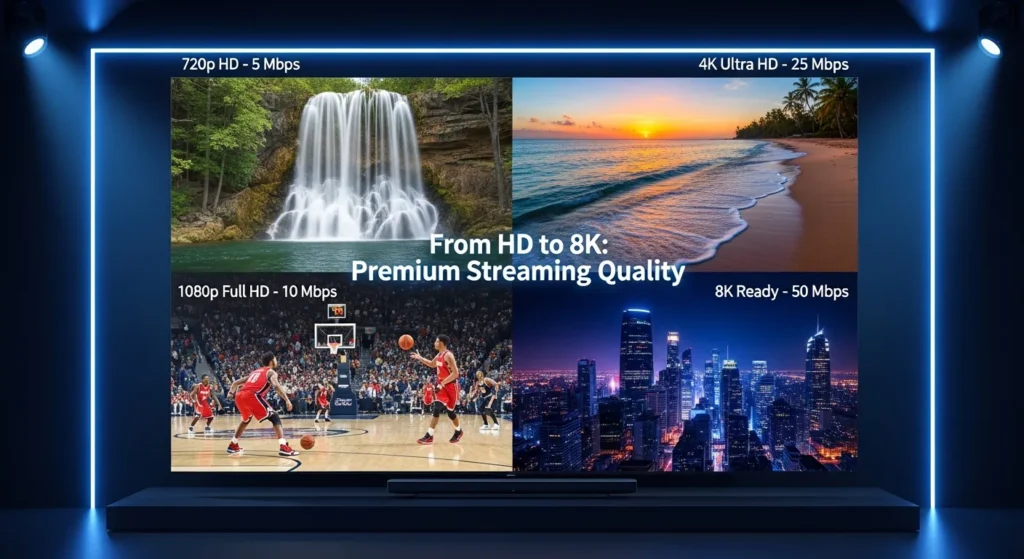
Modern IPTV boxes support 1080p Full HD, 2K Quad HD, 4K Ultra HD, and 8K-ready displays. Advanced codecs like H.265 reduce bandwidth while maintaining quality. A quality IPTV Box with proper internet speed (25+ Mbps for 4K) delivers buffer-free streaming with vibrant colors and smooth motion—superior to compressed cable signals.
3.3 Cost-Effective Entertainment
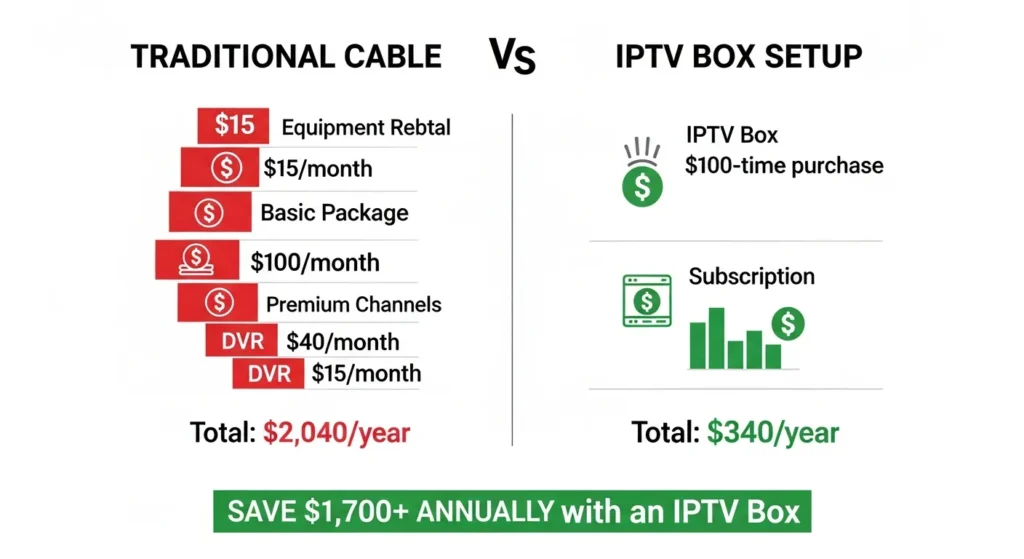
Traditional cable costs $1,680-2,280 annually (equipment, packages, DVR). An IPTV Box setup costs $230-450 yearly (one-time hardware $50-150, subscription $15-25/month). The savings are dramatic—your box pays for itself within two months.
3.4 User-Friendly Setup
Setup takes 10-15 minutes with no technical expertise: plug HDMI, connect Wi-Fi, download your app, enter credentials, and start streaming. The Android interface feels familiar to smartphone users. Voice remotes make navigation simple, while electronic program guides organize content like traditional cable—but with better search.
3.5 Customizable Apps & Add-Ons
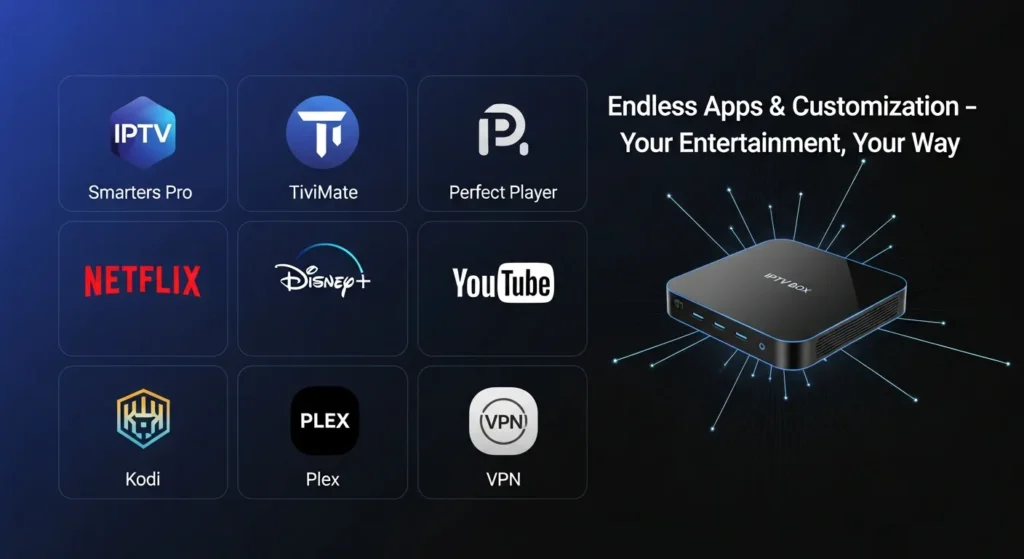
Your IPTV Box isn’t limited to one service. Access IPTV apps (Smarters Pro, TiviMate, Perfect Player), streaming services (Netflix, Disney+, Hulu), media centers (Kodi. Plex), utilities (VPN, browsers), and games. This flexibility means your device evolves with your needs.
3.6 Wide Device Compatibility
A quality IPTV Box connects seamlessly with any HDMI TV, Bluetooth speakers, gaming controllers, external hard drives via USB, wireless keyboards, and network storage. This universal compatibility makes it a central hub for all entertainment activities.
3.7 Reliable Performance
Premium boxes feature powerful quad-core or octa-core processors, 2-4GB RAM, efficient cooling, and stable firmware with regular updates. Unlike cheap sticks that overheat or freeze, well-designed IPTV Box models deliver consistent performance during extended use.
Features to Look for When Choosing the Best IPTV Box
Selecting the right IPTV Box depends on your needs, but certain specifications are essential:
Processor Power: Look for ARM Cortex-A series processors. Budget options use quad-core chips (1.5-2.0 GHz); premium models feature octa-core (2.0+ GHz) for smoother 4K streaming.
Memory and Storage: Minimum 2GB RAM for basic use; 4GB recommended for 4K. At least 16GB storage; 32-64GB preferred.
Operating System: Android TV 9.0 or newer ensures app compatibility and security patches.
Connectivity: Dual-band Wi-Fi (2.4GHz and 5GHz) essential; Wi-Fi 6 for future-proofing. Gigabit Ethernet for most stable 4K streaming. Bluetooth 4.2+ for wireless peripherals.
Video Support: Verify 4K at 60fps, HDR10 and Dolby Vision, H.265/HEVC decoding, and VP9 codec support.
Remote Features: Voice search (Google Assistant), backlit keys, dedicated app buttons, and IR learning for TV control.
Budget Recommendations: Under $50 for HD streaming; $50-100 for 4K capability; $100-200 for premium features like Wi-Fi 6.
Setup Time & Efficiency
One selling point of an IPTV Box is minimal setup time. Cable installation takes 2-4 hours with technician appointments; IPTV Box setup takes 10-15 minutes, completely self-installed.
Modern devices feature guided wizards covering language selection, network configuration, account login, and app installation—all in under 15 minutes. Quality boxes boot in 20-40 seconds versus 2-3 minutes for cable boxes.
For optimal 4K performance, Ethernet connection provides zero wireless interference, lower latency (15-30ms vs 50-100ms on Wi-Fi), consistent bandwidth, and better reliability during peak hours.
Step-by-Step IPTV Box Setup Instructions
Step 1: Connect via HDMI
Insert the HDMI cable from your IPTV Box into your TV port. Connect the power adapter and turn on your TV, selecting the corresponding HDMI input.
Pro Tip: Use HDMI port 1 or the ARC port for best audio passthrough, especially with soundbars.
Step 2: Configure Wi-Fi or Ethernet
Navigate to network settings and select your Wi-Fi network, entering your password. Alternatively, connect an Ethernet cable for superior stability.
Pro Tip: Use 5GHz Wi-Fi for smoother 4K streams with less interference. Position your router within 30 feet of the box.
Step 3: Install Your IPTV App
Open Google Play Store, search for your IPTV application (IPTV Smarters Pro, TiviMate, Perfect Player), and click “Install.”
Pro Tip: Install a backup app in case your primary app has technical issues.
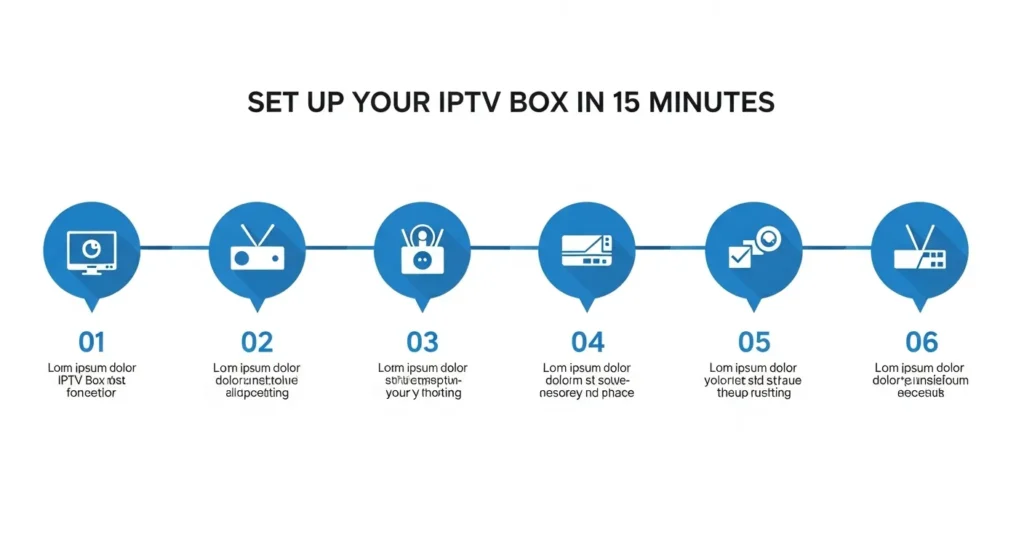
Step 4: Add Playlist or Portal URL
Launch your app and enter your service credentials: M3U playlist URL, Xtream Codes API credentials, or Portal URL provided by your IPTV service.
Pro Tip: Save credentials in a password manager and screenshot your settings page AS backup.
Step 5: Optimize Resolution & Buffering Control
Set display resolution to match your TV (1080p or 4K). In your IPTV app, set cache to 20-40 seconds, enable hardware decoding, and adjust stream format preferences.
Pro Tip: If buffering occurs, temporarily lower stream quality from 4K to 1080p until verifying your internet speed.
Step 6: Enjoy Your IPTV Box!
Browse channels, add favorites, organize your EPG, and explore on-demand content. Familiarize yourself with parental controls, catch-up TV, and recording features.
Pro Tip: Create separate user profiles with customized channel lineups and parental restrictions for each family member.
Performance & Streaming Quality Benchmarks
Understanding your IPTV Box capabilities helps set realistic expectations:
Resolution Requirements: 720p HD needs 5 Mbps; 1080p requires 10-15 Mbps; 2K needs 20 Mbps; 4K requires 25-35 Mbps minimum (50 Mbps recommended for multiple devices).
Video Codecs: H.264/AVC (universal, higher bandwidth), H.265/HEVC (50% better compression for 4K), VP9 (YouTube 4K), and AV1 (next-generation).
Wi-Fi Performance: 2.4GHz delivers 20-40 Mbps real-world; 5GHz provides 100-200 Mbps; Wi-Fi 6 offers 300-600 Mbps.
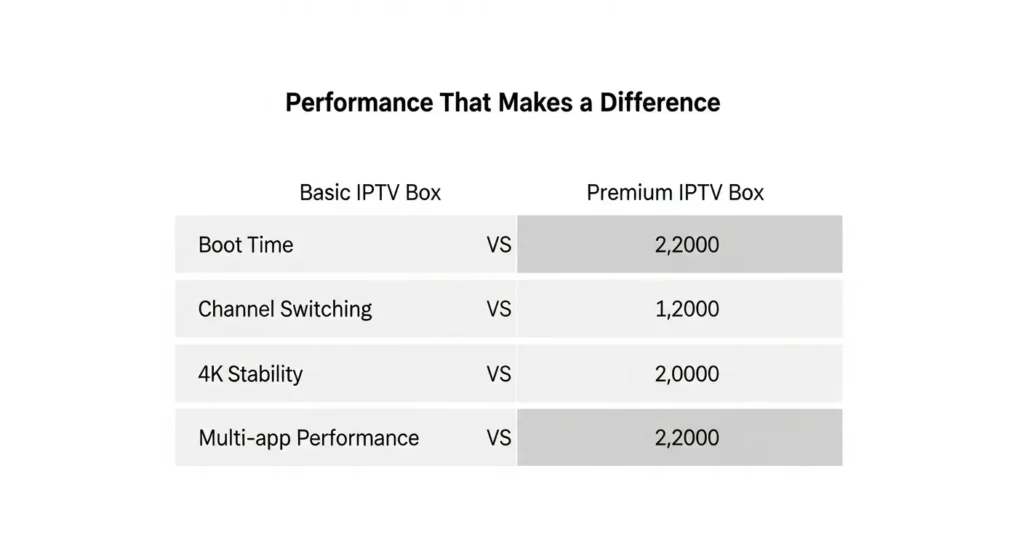
Comparison Table:
| Feature | Basic Box | Premium Box |
|---|---|---|
| Boot Time | 60-90 sec | 20-40 sec |
| Channel Switching | 2-4 sec | 0.5-1 sec |
| 4K Stability | Occasional buffering | Smooth |
| Multi-app Performance | Sluggish | Responsive |
Better Alternatives & Add-Ons
Maximize your IPTV Box with these upgrades:
Wi-Fi 6 Upgrade: Reduces latency by 75% in congested networks—ideal for multi-device households.
Premium Remotes: Backlit keys, air mouse controls, and programmable buttons improve navigation comfort.
External Storage: Add USB drives (128GB-2TB) for downloads, recordings, and local media.
VPN Integration: Install ExpressVPN or NordVPN to encrypt streaming, bypass geo-restrictions, and protect from ISP throttling.
Premium Apps: Upgrade to TiviMate Premium ($5-7/year) for unlimited playlists, enhanced EPG, catch-up TV, and recording.
Tailored Recommendations: Families need parental controls; resellers should buy mid-range boxes in bulk; hotels require remote management; sports fans need 60fps support.
Deployment Use Cases
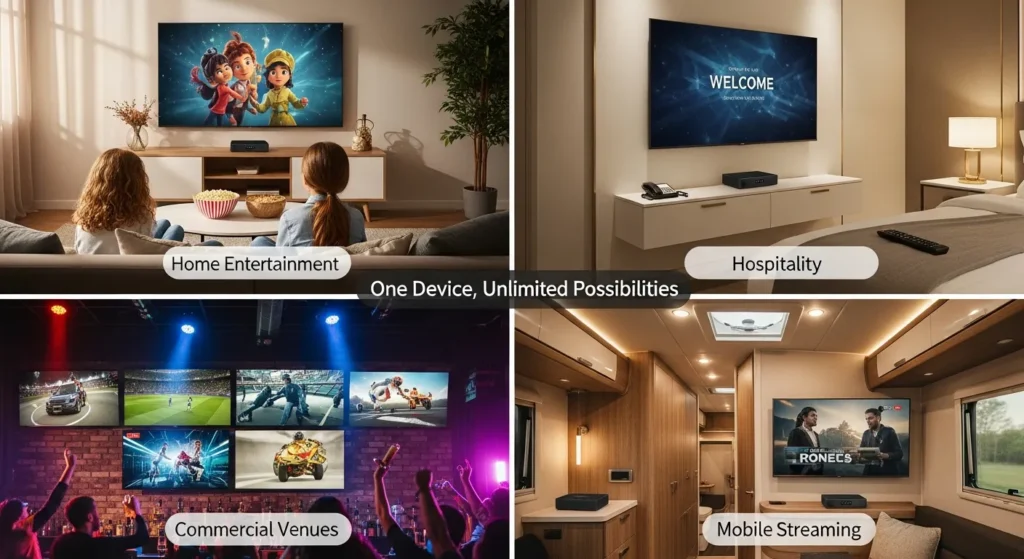
The IPTV Box serves diverse needs beyond basic entertainment:
Home Entertainment: Replaces cable in living rooms and bedrooms, centralizing live TV, streaming services, and local media through one interface.
Hotels: Progressive hotels deploy IPTV boxes offering custom welcome channels, pay-per-view with billing, casting capabilities, and international channels.
Sports Bars: Display multiple events simultaneously at lower costs than commercial cable, with access to international leagues and flexible channel selection.
IPTV Resellers: Bundle boxes with subscriptions for recurring revenue, hardware margins, and support fees.
Churches: Stream services to homebound members, display lyrics on secondary screens, and broadcast to overflow rooms.
Mobile Setups: Perfect for RVs, vacation rentals, and extended travel—portable entertainment weighing under a pound.
Seniors: Simple remotes with voice control, pre-configured channels, large guides, and emergency alert integration make streaming accessible.
Common IPTV Box Mistakes to Avoid
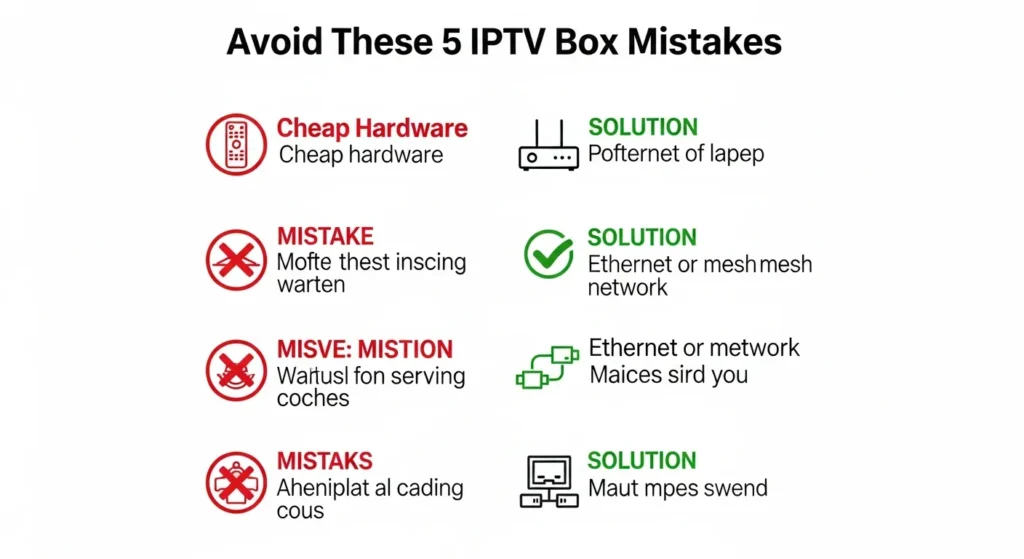
Learn from these frequent errors to optimize your streaming experience:
Mistake #1: Buying Low-End Hardware
The Problem: Cheap IPTV boxes under $30 often use outdated processors, insufficient RAM, and poor-quality components that overheat or malfunction within months.
The Fix: Invest in mid-range options ($50-100) from reputable manufacturers. The small additional cost delivers exponentially better reliability and longevity. Read verified user reviews before purchasing.
Mistake #2: Using Poor Wi-Fi Connections
The Problem: Connecting your IPTV Box to a weak Wi-Fi signal causes constant buffering, pixelation, and disconnections—ruining the viewing experience.
The Fix: Position your router centrally in your home. If the IPTV Box is more than 40 feet from the router or separated by thick walls, use:
- Wi-Fi range extenders
- Mesh networking systems
- Powerline adapters
- Direct Ethernet connection (always best for 4K streaming)
Mistake #3: Not Clearing Cache Regularly
The Problem: IPTV apps accumulate cached data over time, consuming storage space and causing performance degradation. Symptoms include sluggish menus and app crashes.
The Fix: Clear app cache monthly:
- Go to Settings > Apps
- Select your IPTV application
- Choose “Clear Cache” (not “Clear Data,” which erases settings)
- Restart the app
Mistake #4: Installing Too Many Apps
The Problem: Overloading your IPTV Box with dozens of apps consumes limited storage, increases background processes, and slows overall system performance.
The Fix: Install only essential apps. Remove unused applications. Use external storage for media files rather than internal storage. Limit active apps to 15-20 maximum.
Mistake #5: Blocking Airflow and Overheating
The Problem: Placing your IPTV Box in enclosed cabinets, stacking objects on top, or blocking ventilation holes causes overheating. This leads to thermal throttling (reduced performance) and premature hardware failure.
The Fix:
- Place the box on an open shelf with 2-3 inches of clearance on all sides
- Ensure ventilation holes remain unobstructed
- Keep away from heat sources (receivers, game consoles, direct sunlight)
- Consider small USB-powered cooling fans for enclosed spaces
Maintenance & Long-Term Storage Tips
Proper care extends the lifespan of your IPTV Box and maintains optimal performance:
Regular Cache Clearing
Perform this maintenance monthly (as detailed in the previous section). Additionally, clear the system cache partition if your IPTV Box offers this option in recovery mode. This deep cleaning removes temporary files that accumulate during normal operation.
Firmware Updates
Keep your Android operating system current:
- Enable automatic updates in Settings > System > System Update
- Check manually for updates monthly if auto-update is disabled
- Read update notes before installing to understand new features or changes
- Restart your IPTV Box after major updates to ensure proper implementation
Updates often include security patches, bug fixes, and performance optimizations that improve streaming stability.
Prevent Overheating
Monitor your device temperature:
- If the IPTV Box feels excessively hot to touch, it’s likely overheating
- Ensure ambient room temperature stays below 85°F (29°C)
- Clean dust from ventilation holes quarterly using compressed air
- Never place fabric, papers, or other materials on top of the device
Port and Connection Cleaning
Accumulated dust in ports can cause connectivity issues:
- Use compressed air to clean HDMI, USB, and Ethernet ports semi-annually
- Check cable connections and ensure they’re firmly seated
- Replace damaged cables that show fraying or loose connectors
IPTV App Settings Backup
Protect your configuration:
- Use your IPTV app’s backup feature to save playlists and settings
- Screenshot important configuration pages (server URLs, login credentials)
- Email backup files to yourself or store in cloud storage
- This preparation enables quick restoration if factory reset becomes necessary
Long-Term Storage Procedures
If storing your IPTV Box for extended periods:
- Power off completely (not just standby mode)
- Disconnect all cables to prevent port corrosion
- Store in original packaging if available, or wrap in anti-static material
- Keep in a cool, dry environment away from extreme temperatures
- Store in low-humidity areas to prevent internal condensation
- Place in sealed plastic bags with silica gel packets if storing in basements or garages
When reactivating after storage, allow the device to reach room temperature (if coming from cold storage) before powering on.
Conclusion
The IPTV Box represents the future of home entertainment—combining unlimited content access, exceptional streaming quality, cost-effective pricing, and user-friendly operation into a single powerful device. Whether you’re cutting the cord to save money, seeking international programming, or simply demanding better performance than cable offers, an IPTV Box delivers incredible benefits you truly can’t ignore.
From the straightforward 15-minute setup to the endless customization possibilities, modern IPTV boxes have evolved into sophisticated media players that rival any entertainment solution on the market. The seven benefits we’ve explored—unlimited content, high-quality streaming, cost savings, easy setup, app flexibility, wide compatibility, and reliable performance—demonstrate why millions worldwide have made the switch.
Ready to transform your home entertainment? Upgrade to a powerful IPTV Box today. Share your setup experiences in the comments below, ask questions, or subscribe for more IPTV reviews, buying guides, and expert streaming tips. Your perfect viewing experience is just one HDMI connection away!
FAQs
Q1: What’s the difference between an IPTV Box and a streaming stick?
An IPTV Box typically offers superior processing power, more RAM, better cooling systems, and additional connectivity ports compared to compact streaming sticks. While sticks like the Fire TV Stick or Roku Stick are suitable for casual streaming, an IPTV Box provides enhanced performance for 4K content, supports more simultaneous apps, and delivers better stability during extended use. IPTV boxes also include full-size remotes with more features and often have Ethernet ports for wired connections—critical for reliable 4K streaming. If you’re a heavy streamer or run IPTV services specifically, a dedicated box is the better investment.
Q2: Can an IPTV Box stream 4K content?
Yes, most modern IPTV boxes support 4K Ultra HD streaming at 60 frames per second. However, three conditions must be met: (1) Your IPTV Box must have hardware capable of 4K output with H.265 decoding, (2) Your TV must support 4K resolution, and (3) Your internet connection must provide at least 25-35 Mbps consistently. Budget IPTV boxes may claim 4K support but lack the processing power for smooth playback, so verify specifications carefully. Premium models with 4GB RAM and octa-core processors handle 4K content effortlessly, while basic 2GB models may struggle with sustained 4K streams.
Q3: Does an IPTV Box need fast internet?
Yes, internet speed directly impacts your streaming quality. For standard definition (SD) content, 5 Mbps is sufficient. High definition (1080p) requires 10-15 Mbps. For 4K Ultra HD streaming, you need 25-35 Mbps minimum, though 50 Mbps is recommended if multiple devices share your connection. Keep in mind these are per-stream requirements—if family members use multiple devices simultaneously, multiply accordingly. Upload speed matters less unless you’re sharing content or using video calling apps through your IPTV Box. Test your actual speed using services like Speedtest.net rather than relying on your ISP’s advertised speeds, which often represent theoretical maximums rather than real-world performance.
Q4: Is an IPTV Box legal to use?
An IPTV Box itself is completely legal hardware—it’s simply an Android-based media player. The legality concern involves the content you access through it. Using an IPTV Box with legitimate subscription services (Netflix, Hulu, YouTube TV) or authorized IPTV providers is entirely legal. However, accessing pirated content, unlicensed streams, or copyrighted material without permission violates copyright laws regardless of your hardware. Many legitimate IPTV services operate legally by licensing content distribution rights. Before subscribing to any IPTV service, verify they’re an authorized provider in your country. Reputable services provide clear terms of service and operate transparently.
Q5: What apps work best on an IPTV Box?
The most popular IPTV apps include IPTV Smarters Pro (user-friendly interface with excellent EPG support), TiviMate (premium features for power users), Perfect Player (highly customizable), and XC Player (stable performance). For media center functionality, Kodi remains the gold standard with extensive add-on support. Your IPTV Box also runs mainstream streaming apps like Netflix, Disney+, Amazon Prime Video, YouTube, and Plex. Additionally, utility apps enhance functionality: VPN apps (ExpressVPN, NordVPN) for privacy, Downloader for sideloading apps, and MX Player for local media playback. The best app depends on your specific IPTV service—many providers recommend or require particular apps for optimal compatibility with their streams.