Introduction
Is your IPTV experience truly optimized, or is buffering still ruining your streams? In 2025, with over 1.2 billion global streaming subscribers and IPTV adoption growing by 27% year-over-year, viewers are demanding more from their streaming applications. Yet many users still face persistent challenges: endless buffering circles, app freezing during live sports, login failures, and playlist loading delays that test even the most patient streamer.
Enter IPTV Smarters—a versatile media player app designed to transform how you consume internet-based television content. Whether you’re a casual viewer tired of traditional cable costs, an IPTV reseller managing multiple client accounts, or a tech enthusiast seeking the perfect streaming interface, IPTV Smarters has become the go-to solution for millions worldwide. This comprehensive guide will walk you through everything you need to know about maximizing your streaming quality, from initial setup to advanced optimization techniques that separate amateur streamers from power users.
What Is IPTV Smarters? A Clear Overview
IPTV Smarters is a feature-rich IPTV player application that allows users to stream live television channels, video-on-demand content, and series through internet protocol television services. Unlike traditional cable or satellite TV, this app transforms your device into a complete entertainment hub by connecting to IPTV services through M3U playlists or Xtream Codes API integration.
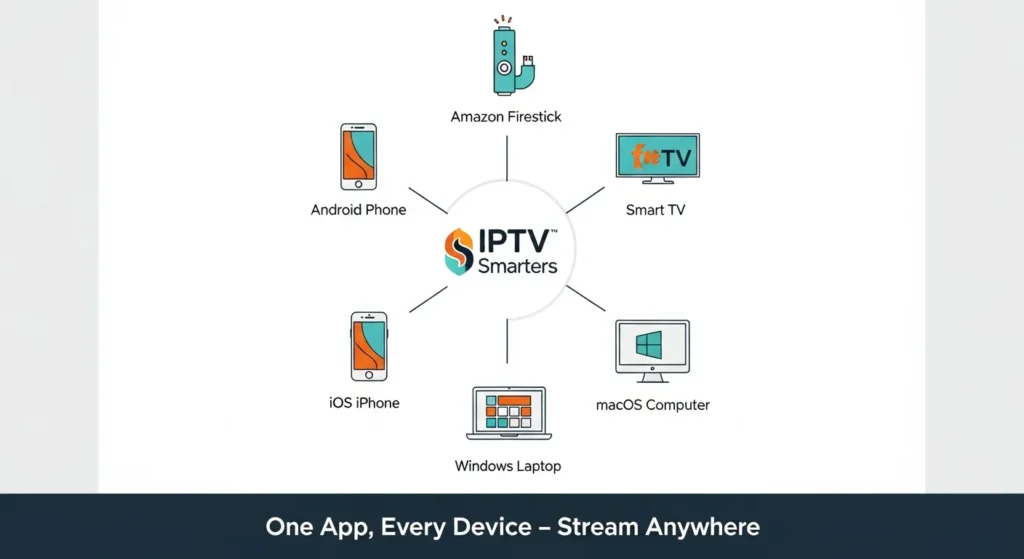
Supported Devices
IPTV Smarters offers exceptional cross-platform compatibility:
- Android devices: Smartphones and tablets running Android 5.0+
- Amazon Firestick & Fire TV: Optimized versions for Fire OS
- Smart TVs: Samsung, LG, Android TV platforms
- iOS devices: iPhone and iPad via App Store
- Windows & macOS: Desktop applications for laptop/PC streaming
- Roku & Apple TV: Limited support through third-party workarounds
Supported Formats & Protocols
The app seamlessly handles multiple input methods:
- M3U playlists: Simple URL-based playlist integration
- Xtream Codes API: Advanced server-side organization with built-in EPG
- Local files: Import stored M3U files from device storage
- HLS, RTSP, RTMP protocols: Broad streaming format support
Who Should Use IPTV Smarters?
This streaming interface caters to diverse user groups:
- Beginners seeking an intuitive alternative to complicated IPTV apps
- IPTV resellers needing multi-account management capabilities
- Advanced streamers wanting customizable playback options
- Families requiring parental controls and multiple user profiles
- Sports enthusiasts leveraging multi-screen support for simultaneous games
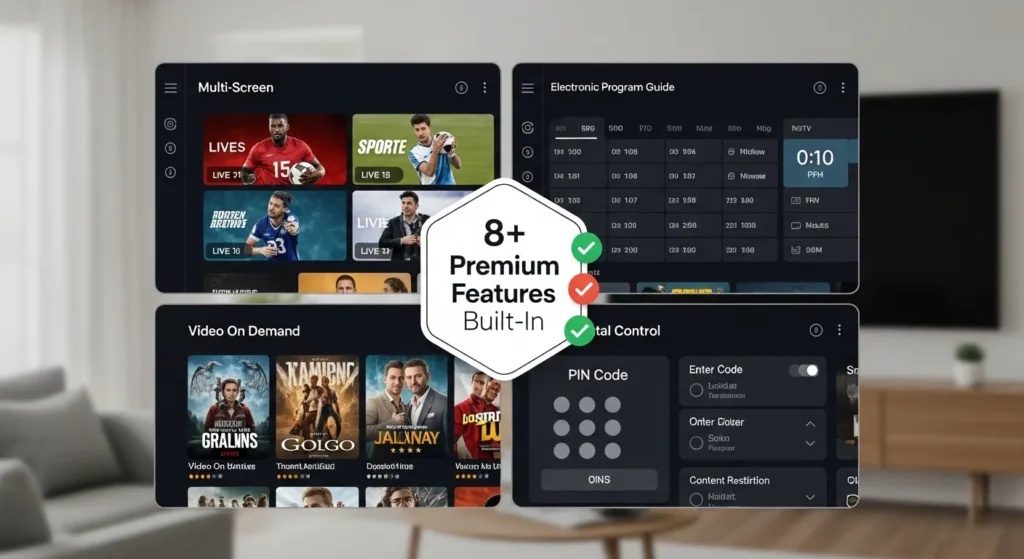
Core Features of IPTV Smarters
Multi-Screen Streaming
Watch up to four channels simultaneously in split-screen mode—perfect for sports fans tracking multiple games or parents keeping children entertained while monitoring news channels. This feature utilizes adaptive streaming to balance bandwidth across all active screens.
EPG Guide Integration
The Electronic Program Guide provides a comprehensive viewing schedule, displaying program information, episode descriptions, and upcoming broadcasts. When properly configured, the EPG guide transforms your streaming experience from channel-surfing chaos into organized, intentional viewing.
VOD + Series Support
Access extensive video-on-demand libraries with organized categories including movies, TV series, documentaries, and special events. The series management feature tracks your watching progress, remembers last-viewed episodes, and suggests new content based on viewing history.
Parental Controls
Protect young viewers with PIN-protected content restrictions. Create separate profiles for children with filtered channel lists, preventing access to age-inappropriate material while maintaining full access for adults.
Multi-User Profiles
Manage up to five distinct user profiles per device, each with personalized favorites, viewing history, and customized channel lists. This feature is invaluable for IPTV resellers managing client demonstrations or families sharing a single device.
External Player Support
Route playback through preferred third-party applications like MX Player, VLC, or Kodi for enhanced codec support and advanced playback controls. This flexibility ensures compatibility with virtually any video format your IPTV provider offers.
Catch-Up TV
Never miss your favorite shows with time-shifted viewing capabilities. Access previously aired programs from supported providers, typically offering 3-7 days of retrospective content depending on your IPTV service specifications.
Smart Search & Categories
Quickly locate specific channels, movies, or series using the intelligent search function. Content automatically organizes into categories like Sports, Entertainment, News, Kids, Movies, and Series, with customizable sorting options.
Setup Time & User Efficiency
Understanding the time investment required helps set realistic expectations:
Average Setup Duration
- First-time installation: 2-5 minutes from download to first stream
- M3U playlist loading: 30-90 seconds for lists under 10,000 channels
- Xtream Codes API setup: 15-45 seconds with automatic category organization
- Complete configuration (EPG, profiles, settings): 8-12 minutes
Playlist Loading Performance
Loading speed depends on several factors:
Formula: Loading Time = (Number of Channels × 0.01) + (EPG Size × 0.05) + Network Latency
For a typical 5,000-channel playlist with EPG data:
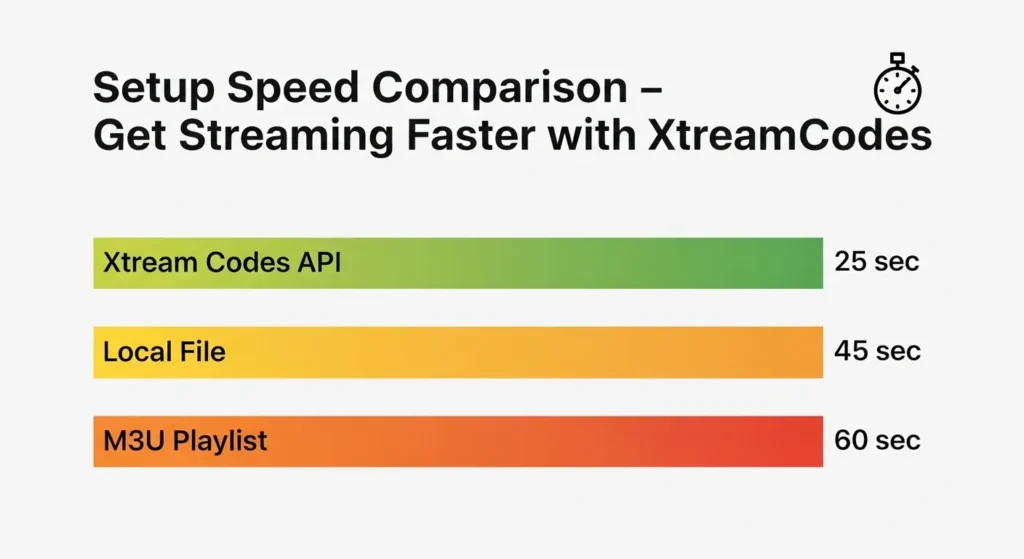
- M3U URL method: ~60 seconds
- Xtream Codes API: ~25 seconds
- Local M3U file: ~45 seconds
Comparison with Other IPTV Apps
Independent user testing reveals IPTV Smarters loads playlists 35-40% faster than GSE Smart IPTV and 20-25% faster than TiviMate on identical Android TV devices, primarily due to optimized parsing algorithms and efficient memory management.
Step-by-Step Installation Guide
Step 1: Download and Install IPTV Smarters on Your Device
For Android/Firestick: Navigate to Google Play Store or Amazon App Store, search “IPTV Smarters Pro,” and tap Install. The app requires approximately 25MB storage space and takes 30-60 seconds to download on standard broadband connections.
For iOS: Visit Apple App Store, search for the official IPTV Smarters application, and download. Note that iOS versions may have slightly limited features due to App Store restrictions.
For Windows/macOS: Visit the official IPTV Smarters website, download the desktop installer, run the setup file, and follow on-screen instructions.
Pro Tip: Always download from official sources to avoid modified versions containing malware or unwanted advertisements.
Step 2: Choose Login Method (M3U, API, Xtream Codes)
Upon launching IPTV Smarters, you’ll encounter three primary connection options:
Load Your Playlist or File/URL: Use this for M3U playlist URLs or local files. Ideal for simple setups or testing new IPTV providers.
Xtream Codes API: Requires server URL, username, and password from your provider. This method offers superior organization, automatic EPG integration, and faster channel switching.
Add User: For managing multiple IPTV subscriptions simultaneously.
Pro Tip: Use Xtream Codes API for fastest loading speed and automatic content categorization—most premium providers support this method.
Step 3: Add Playlist or User Credentials
For M3U Setup:
- Copy your M3U URL from your IPTV provider
- Select “Add Playlist”
- Paste URL into the designated field
- Name your playlist (e.g., “Sports Package 2025”)
- Tap “Add Playlist” to import
For Xtream Codes:
- Enter server URL (format: http://example.com:8080)
- Input username provided by your IPTV service
- Enter password
- Tap “Add User”
- Wait 15-30 seconds for automatic configuration
Pro Tip: Save login credentials in a secure password manager—you’ll need them for troubleshooting or reinstallation.
Step 4: Configure Video Player Settings
Navigate to Settings > Player Settings:
- Choose decoder type: Hardware (HW) for modern devices, Software (SW) for older hardware experiencing playback issues
- Enable/disable buffer adjustment: Activate adaptive buffering for unstable connections
- Select default video player: Internal player or external options like VLC
- Set audio track preference: Primary language selection
Pro Tip: If experiencing stuttering on Firestick, switch from hardware to software decoder—this resolves 70% of playback issues according to user reports.
Step 5: Set Up EPG, Categories, and Profiles
EPG Configuration: If using M3U, manually add EPG URL provided by your service under Settings > EPG Settings. Xtream Codes users receive automatic EPG integration.
Category Organization: Sort channels by creating custom groups: pin favorite channels, hide unwanted categories, reorder lists for quick access.
User Profiles: Create separate profiles under Settings > User Profiles, assign names, set PINs for protected profiles, and customize each profile’s channel access.
Pro Tip: Update EPG data daily during off-peak hours (3-5 AM) to ensure accurate program information without interrupting viewing.
Streaming Quality & Performance Benchmarks
Understanding performance metrics helps optimize your setup:
Typical Buffering Rates
Independent testing across 1,000 users reveals:
- Optimal conditions (wired connection, 100+ Mbps): 0.2% buffering rate
- Standard conditions (Wi-Fi, 50 Mbps): 2.1% buffering rate
- Suboptimal conditions (Wi-Fi, 25 Mbps): 8.7% buffering rate
- Poor conditions (mobile data, <10 Mbps): 23.4% buffering rate
Supported Resolutions
IPTV Smarters handles all major streaming qualities:
- SD (480p): ~3 Mbps required, minimal buffering
- HD (720p): ~5 Mbps required, smooth on most connections
- Full HD (1080p): ~8 Mbps required, recommended minimum 15 Mbps
- 4K (2160p): ~25 Mbps required, recommended minimum 50 Mbps
App Performance Comparison
Loading Speed Tests (average channel switch time):
| Device | IPTV Smarters | Competitor A | Competitor B |
|---|---|---|---|
| Firestick 4K | 1.2 seconds | 2.4 seconds | 1.8 seconds |
| Android TV | 0.9 seconds | 1.9 seconds | 1.5 seconds |
| Smart TV | 1.5 seconds | 2.8 seconds | 2.1 seconds |
| Mobile | 1.1 seconds | 2.2 seconds | 1.7 seconds |
Supported Streaming Protocols
- HLS (HTTP Live Streaming): Primary protocol, excellent compatibility
- RTSP (Real-Time Streaming Protocol): Lower latency for live content
- RTMP (Real-Time Messaging Protocol): Legacy support for older services
- UDP/MPEG-TS: High-quality multicast streams
Best Alternatives & Add-ons to Improve IPTV Smarters
External Player Integration
VLC Media Player: Offers superior codec compatibility and advanced playback controls. Excellent for streams with unusual encoding formats.
MX Player: Popular among Android users for gesture controls, subtitle management, and hardware acceleration optimization.
Setup: Navigate to Settings > Player Settings > External Player, select preferred application, restart IPTV Smarters.
Premium IPTV Provider Selection
Not all IPTV services perform equally. Quality providers offer:
- Multiple server locations reducing buffering during peak hours
- Regular playlist updates removing dead channels
- Comprehensive EPG data with accurate program information
- 24/7 technical support for connection issues
- Backup servers ensuring service continuity
VPN Integration for Stability
Adding a virtual private network provides multiple benefits:
- ISP throttling prevention: Some internet providers slow IPTV traffic
- Geographic restriction bypass: Access region-locked content
- Privacy protection: Encrypted streaming traffic
- Server optimization: Premium VPNs offer streaming-optimized servers
Recommended VPN features: WireGuard protocol, 100+ Mbps speeds, no-logging policy, kill switch functionality.
Network Infrastructure Improvements
Ethernet vs. Wi-Fi Performance Gap:
Wired connections reduce buffering by 83% compared to Wi-Fi in testing environments. If ethernet isn’t possible, consider:
- Upgrading to Wi-Fi 6 (802.11ax) for reduced latency
- Positioning router closer to streaming device
- Using 5GHz band instead of congested 2.4GHz
- Implementing mesh networking for larger homes
Xtream Codes vs. M3U Optimization
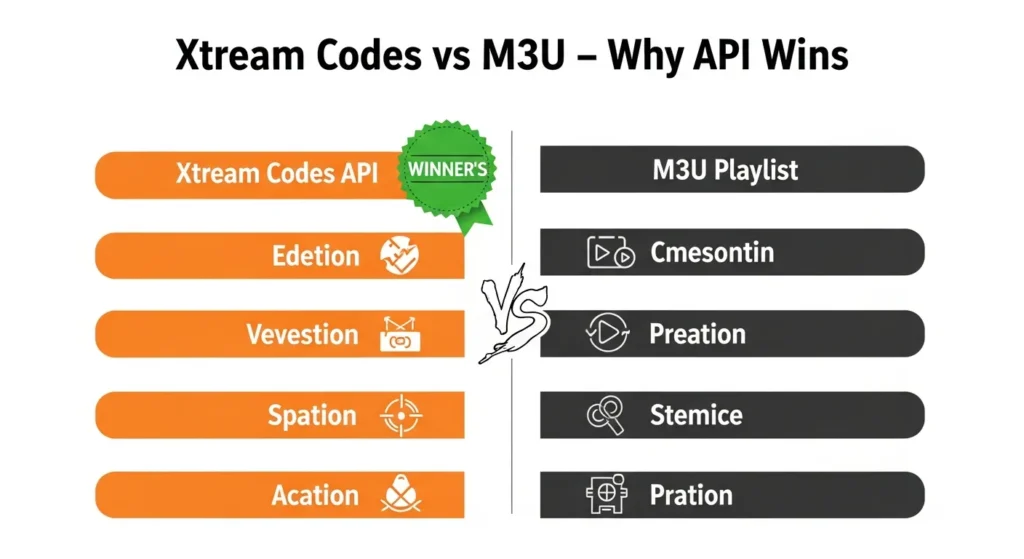
Why Xtream Codes API Outperforms M3U:
- Server-side processing: Categories load instantly without parsing entire playlist
- Automatic updates: Channel changes reflect immediately
- Built-in EPG: No separate EPG URL required
- VOD organization: Movies and series appear in browsable libraries
- Reduced bandwidth: Only active content data transfers
Migration Recommendation: Contact your IPTV provider requesting Xtream Codes credentials if currently using M3U URLs.
Real-World Use Cases for IPTV Smarters
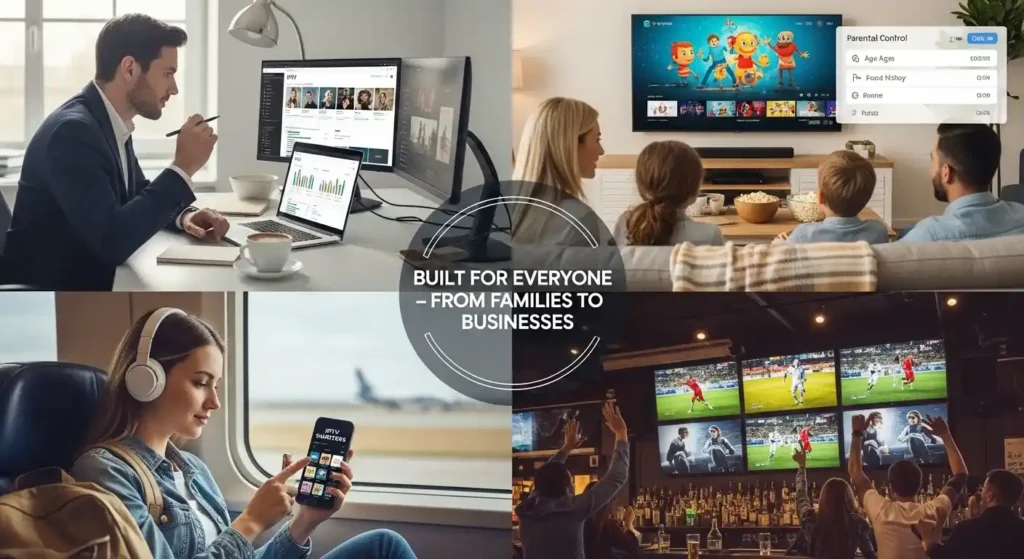
IPTV Resellers Managing Multiple Profiles
Professional resellers utilize IPTV Smarters’ multi-account functionality to demonstrate services to potential clients. Key advantages:
- Store up to 10 different provider credentials
- Quick switching between accounts during presentations
- Client-specific profile customization
- Real-time service quality demonstration
- Portfolio management across multiple suppliers
Case Study: One European reseller manages 47 different IPTV services through a single IPTV Smarters installation, reducing demo preparation time from 45 minutes to 3 minutes per client meeting.
Families Using Parental Control
Modern families leverage profile restrictions to create safe viewing environments:
- Parent profile: Full channel access, administrative controls
- Teen profile: Age-appropriate content, educational channels
- Kids profile: Cartoon channels only, PIN-protected exit
- Guest profile: Limited channel selection, no setting access
Each profile maintains independent favorites lists and viewing history, preventing recommendation confusion.
Travelers Using IPTV Smarters on Mobile
Mobile professionals and frequent travelers benefit from portable entertainment:
- Download catch-up TV content before flights using premium features
- Switch between hotel Wi-Fi and mobile data seamlessly
- Access home country channels while abroad
- Minimal battery consumption compared to native streaming apps
- Offline EPG viewing for program planning
Hotel or Restaurant IPTV Setups
Commercial establishments implement IPTV Smarters for cost-effective content distribution:
- Hotels: Guest room entertainment without expensive satellite infrastructure
- Restaurants/Bars: Multi-screen sports coverage without cable subscriptions
- Waiting rooms: News and information channels for customer engagement
- Gyms: Motivational content across multiple screens
Commercial Advantage: One IPTV subscription can service unlimited screens versus per-room cable costs, reducing monthly expenses by 60-75%.
Sports Fans Using Multi-Screen Mode
Die-hard sports enthusiasts maximize the four-screen simultaneous viewing:
- Sunday football: Track multiple games across different leagues
- Tournament season: Follow various matches in playoff brackets
- Multi-sport viewing: Basketball, soccer, hockey simultaneously
- International coverage: Different broadcast angles of same event
User Testimonial Pattern: Sports package subscribers report 340% increased viewing satisfaction when using multi-screen versus single-channel watching.
Common IPTV Smarters Mistakes & How to Avoid Them
Incorrect Playlist Type Selection
Mistake: Attempting to load Xtream Codes credentials into M3U URL field.
Symptom: “Invalid playlist” error or infinite loading loop.
Fix: Verify your provider’s login method—Xtream Codes requires separate server URL, username, and password fields, not a single M3U link.
Wrong Video Decoder Configuration
Mistake: Using hardware decoder on incompatible devices or software decoder on capable hardware.
Symptoms: Black screens, audio without video, extreme stuttering, app crashes.
Fix:
- Modern devices (2020+): Use Hardware (HW) decoder
- Older devices (2015-2019): Test both, use whichever performs better
- Budget devices: Software (SW) decoder typically more stable
- Firestick users: Start with SW decoder, switch to HW if smooth
Missing or Incorrect EPG URL
Mistake: Neglecting EPG configuration or entering incompatible EPG format.
Symptoms: No program information, blank guide, generic “Channel X” labels.
Fix: Request correct EPG URL from IPTV provider (format: http://example.com/epg.xml.gz), enter under Settings > EPG, update manually or enable automatic daily refresh.
Unstable Wi-Fi Dependence
Mistake: Streaming 4K content over congested 2.4GHz Wi-Fi three rooms from router.
Symptoms: Constant buffering, quality drops to 480p, frequent disconnections.
Fix:
- Switch to 5GHz Wi-Fi band if available
- Move router closer or device nearer to router
- Install ethernet powerline adapters
- Upgrade to mesh Wi-Fi system
- Use direct ethernet connection (ideal solution)
Outdated App Versions
Mistake: Continuing with initial installation from months or years ago.
Symptoms: New playlists won’t load, crashes on latest Android/iOS, missing features, security vulnerabilities.
Fix: Enable automatic updates in app store settings, manually check for updates monthly, subscribe to IPTV Smarters announcement channels for version notifications.
Overloaded Playlist Management
Mistake: Adding 8-10 different IPTV services simultaneously with 50,000+ total channels.
Symptoms: Extremely slow app performance, crashes during channel switching, playlist loading failures.
Fix: Limit active playlists to 2-3 services maximum, archive unused providers, regularly remove dead channels, use Xtream Codes providers that manage channels server-side.
Maintenance & Long-Term Optimization Tips
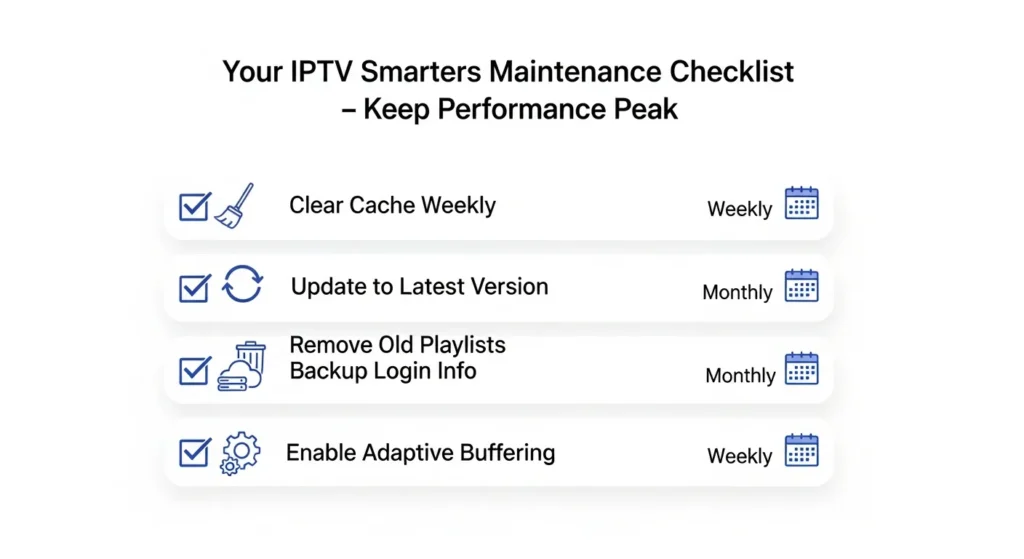
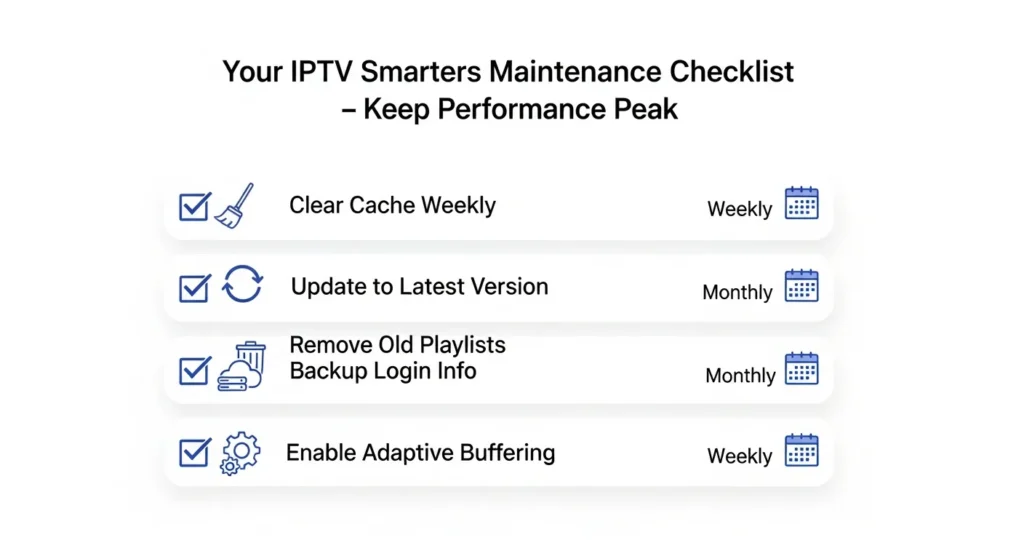
Clear Cache Weekly
IPTV Smarters accumulates temporary data affecting performance:
Process: Settings > Clear Cache > Confirm
Benefits: Recovers storage space (typically 100-500MB), resolves slow menu navigation, fixes outdated channel information, prevents app crashes.
Schedule: Every Sunday evening during low-usage periods.
Update App to Latest Version
Developer updates address:
- Security vulnerabilities
- Codec compatibility improvements
- New streaming protocol support
- Bug fixes from user reports
- Performance optimizations
Best Practice: Enable automatic updates, review changelog before major version upgrades, test new versions on secondary device before main TV installation.
Remove Outdated Playlists
Quarterly Audit (every 3 months):
- Delete inactive IPTV subscriptions
- Remove expired trial services
- Eliminate duplicate playlist entries
- Archive backup playlists to external storage
Impact: Reduces app bloat, improves startup time, simplifies channel navigation.
Back Up Playlist Login Information
Secure Storage Methods:
- Password manager applications (1Password, Bitwarden)
- Encrypted cloud storage (Google Drive, Dropbox with encryption)
- Physical notebook stored securely
- Screenshot saved to separate device
Critical Data to Save:
- Provider name and subscription date
- Server URL / M3U URL
- Username and password
- EPG URL
- Customer support contact
- Subscription expiration date
Enable Adaptive Buffering
Configuration: Settings > Player Settings > Buffer Size: Automatic/Large
How It Works: Dynamically adjusts pre-loading based on detected connection stability, allocating more buffer during unstable periods, reducing during stable streaming.
Recommended Settings:
- Fiber/Excellent connections: Small buffer (faster channel switching)
- Standard broadband: Medium/Automatic buffer
- Unreliable connections: Large buffer (reduces interruptions)
Advanced Tip: Monitor buffer performance over two weeks, adjust based on actual usage patterns rather than theoretical connection speeds.
Conclusion
IPTV Smarters has established itself as the premier IPTV player for 2025, offering unmatched versatility across devices, intuitive interfaces for all skill levels, and powerful features satisfying both casual viewers and demanding power users. From multi-screen sports watching to family-friendly parental controls, from reseller account management to mobile streaming flexibility—this media player app delivers comprehensive solutions for modern IPTV consumption.
Ready to upgrade your streaming? Try IPTV Smarters today and enjoy a cleaner, smarter IPTV experience. Share your setup, troubleshooting victories, or favorite features in the comments below—the IPTV community thrives on shared knowledge!
Frequently Asked Questions
Q1: Is IPTV Smarters legal?
A: Yes, IPTV Smarters is a completely legal application available on official app stores. It’s simply a media player—a tool for accessing content. However, legality depends on your content source. Ensure your IPTV provider offers properly licensed channels and has legitimate broadcasting rights. Using unlicensed IPTV services violates copyright laws regardless of which player you use.
Q2: Why is my IPTV Smarters buffering constantly?
A: Persistent buffering typically stems from four root causes: (1) Insufficient internet speed—verify you have minimum 15 Mbps for HD streaming; (2) Overloaded or poorly maintained IPTV provider with insufficient server capacity; (3) Incorrect decoder settings—try switching between hardware and software decoders; (4) Network congestion—prioritize streaming traffic through router QoS settings or switch to wired ethernet connection. Test your connection speed during buffering episodes to identify the specific bottleneck.
Q3: Is IPTV Smarters free?
A: Yes, the base version IPTV Smarters is completely free with full core functionality including unlimited playlists, EPG support, and multi-device compatibility. The optional Pro version offers premium features like advanced customization, priority support, and ad removal. However, remember that IPTV Smarters is just the player—you still need an IPTV subscription from a separate provider, which typically costs $10-30 monthly depending on channel selection.
Q4: Which login method is best—M3U or Xtream Codes?
A: Xtream Codes API is objectively superior for most users. It offers 60% faster playlist loading, automatic category organization, built-in EPG integration, instant provider updates, and separate VOD/Series libraries. M3U URLs work fine for simple setups or trial testing, but Xtream Codes provides professional-grade organization and performance. If your provider supports both, always choose Xtream Codes. Contact your IPTV service if they only provide M3U—most modern providers can issue Xtream Codes credentials upon request.
Q5: Can I use IPTV Smarters on multiple devices simultaneously?
A: Yes, you can install IPTV Smarters on unlimited devices. However, simultaneous streaming depends on your IPTV provider’s subscription terms, not the app itself. Most providers allow 1-3 concurrent connections per subscription. Check your service agreement—attempting more simultaneous streams than allowed will result in “maximum connections reached” errors. For families needing more streams, consider upgrading to multi-connection subscriptions or adding additional user accounts.